App for iOS and Android
KEOR PMS Staff: the app for your team
With KEOR PMS Staff, housekeeping, maintenance and reception have everything on their phone: rooms, inspections, minibar, work orders, guest requests and passport scanning. Push notifications make sure nothing gets left behind.
Housekeeping
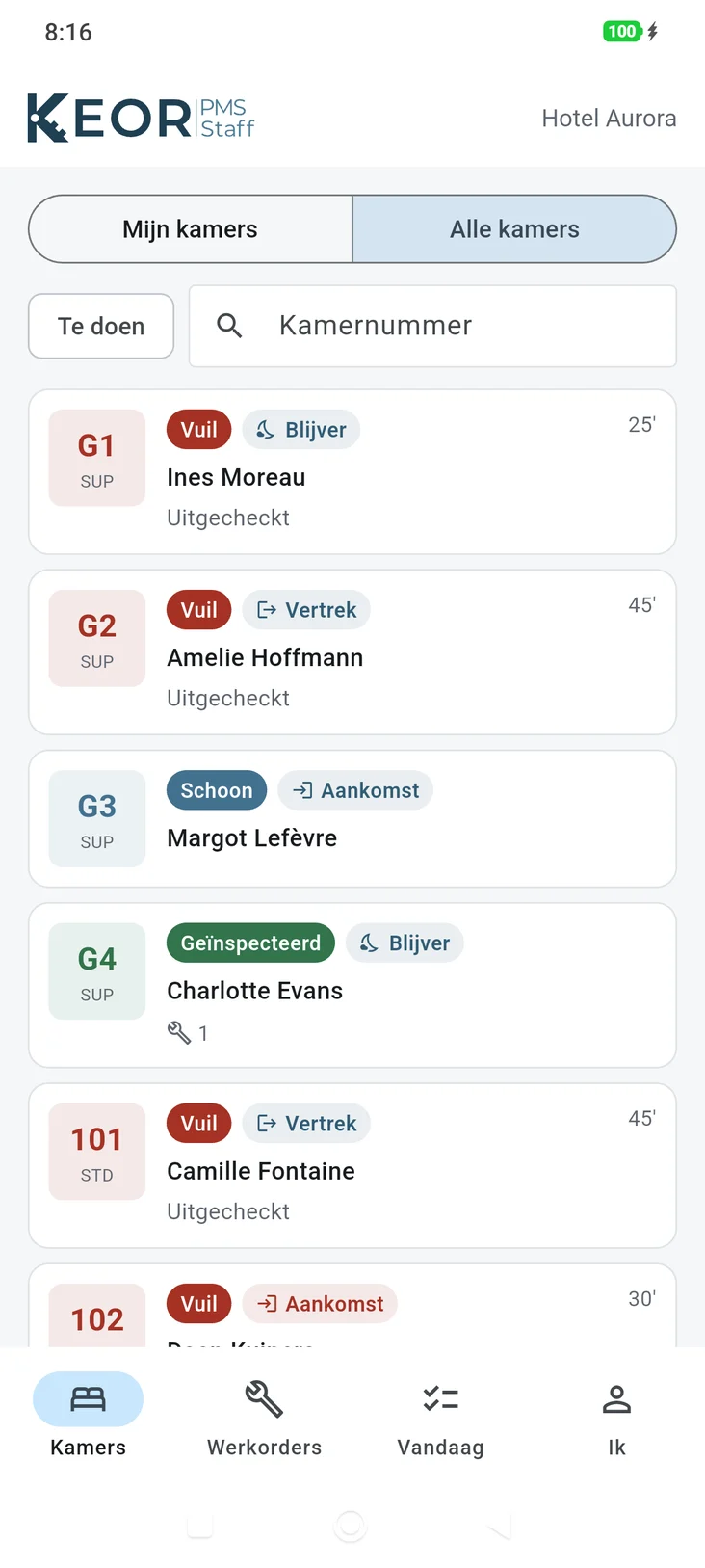
My rooms, my list
Every employee sees their own rooms for today, by priority: arrivals that are not ready yet come first. One tap marks a room clean, and the front desk sees it on the planning board right away.
- Update the room status from the corridor
- Count the minibar and post it straight to the folio
- Approve or reject inspections with a reason
Maintenance and guest requests
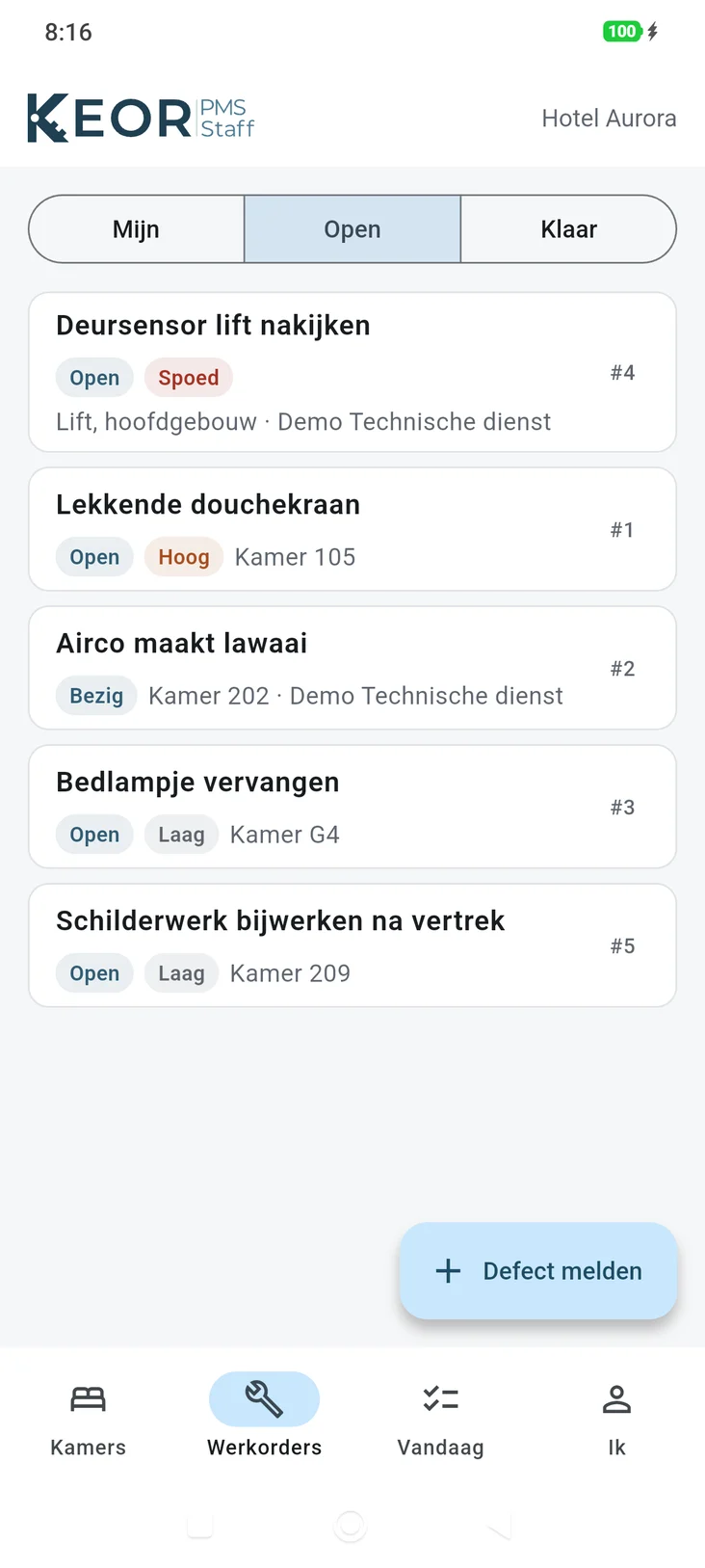
From report to resolved
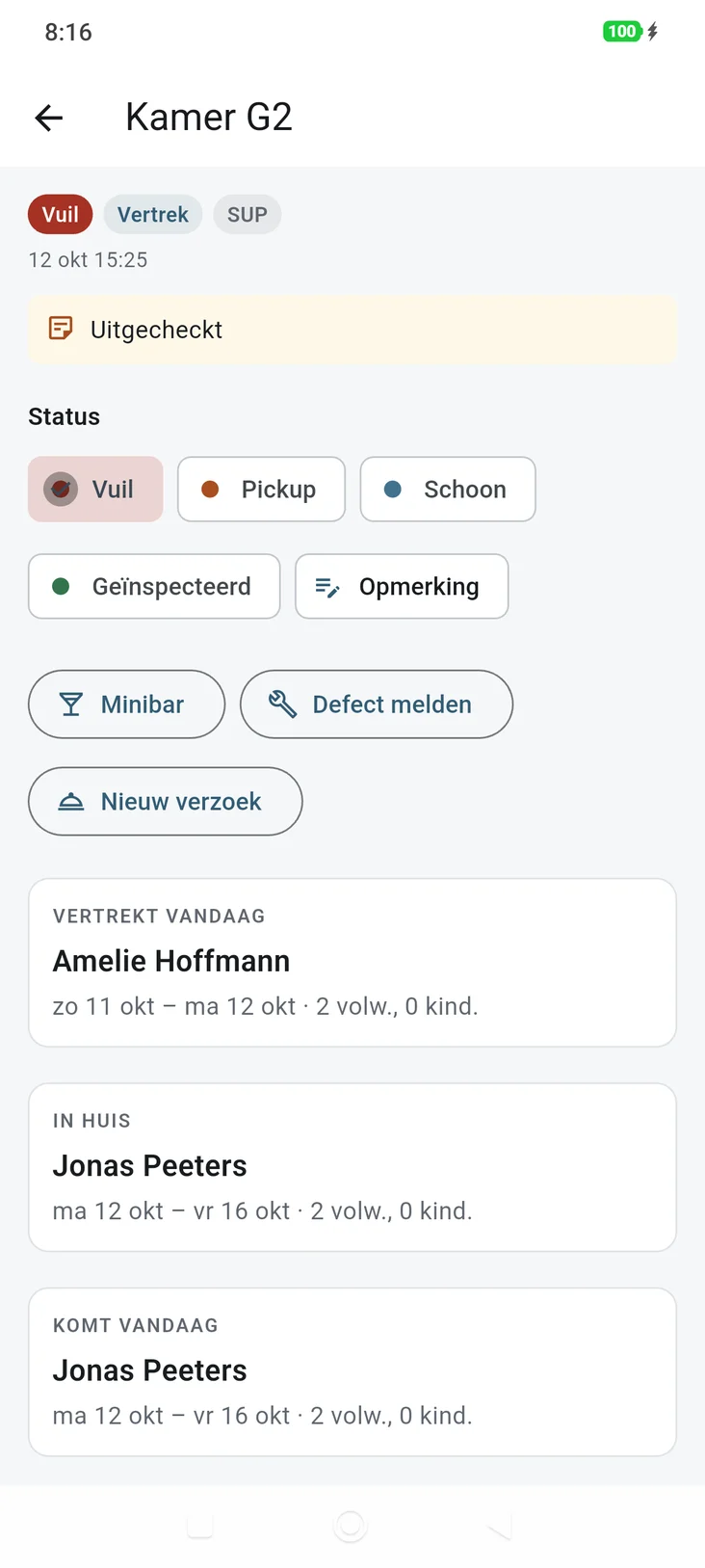
Maintenance receives work orders with photos and keeps track of time and costs. A guest request for maintenance automatically becomes a work order. Traces from the front desk reach the right department.
- Push notifications for new tasks and requests
- Report a defect with a photo, from the app
- Take a room out of service when needed
Today
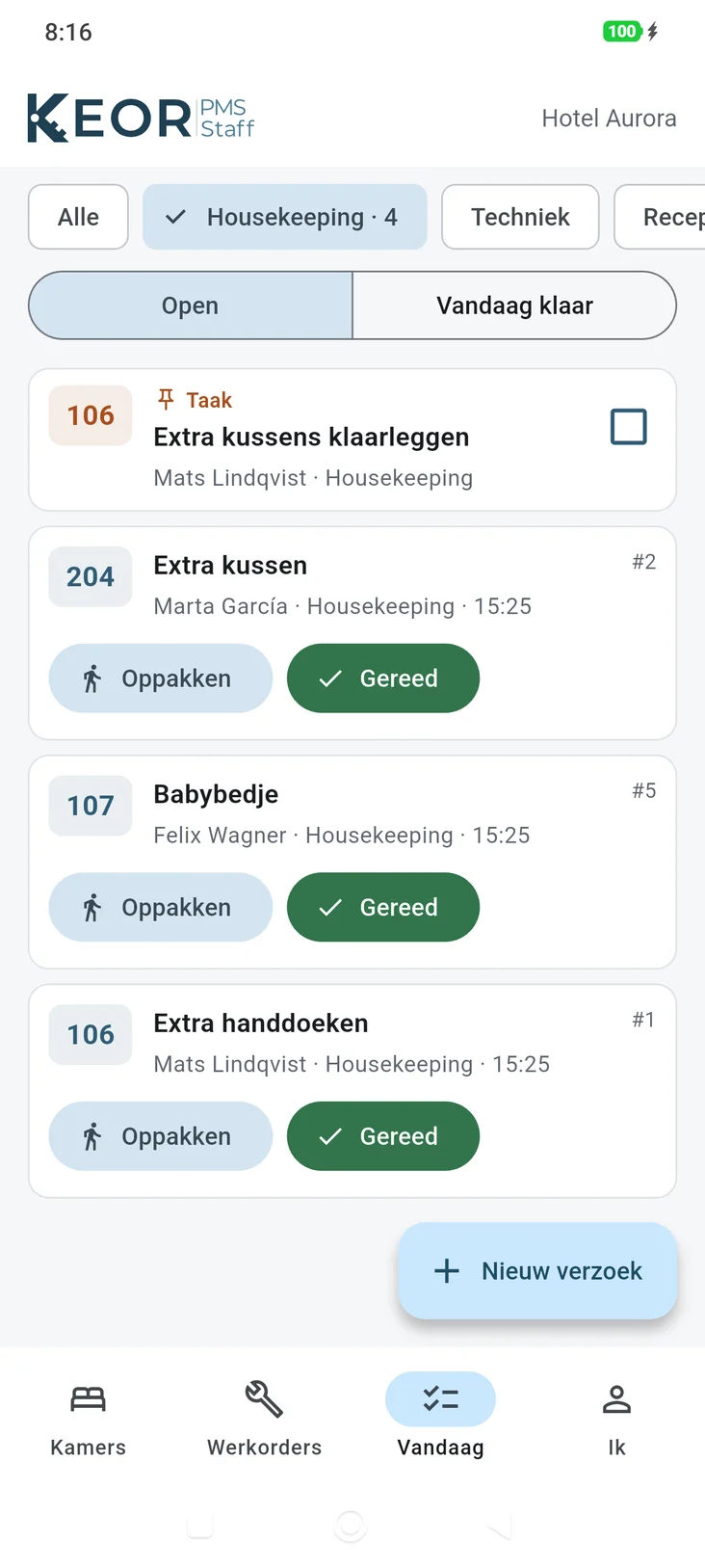
The day’s tasks, per department
Today shows the guest requests and traces of the employee’s own department. Pick them up, mark them done or tick them off: reception sees it straight away. A task that is not done on time stays on the list as overdue.
- Pick up guest requests and mark them done
- Tick off today’s traces
- Each department sees only its own tasks
Reception
Scan passports, also away from the desk
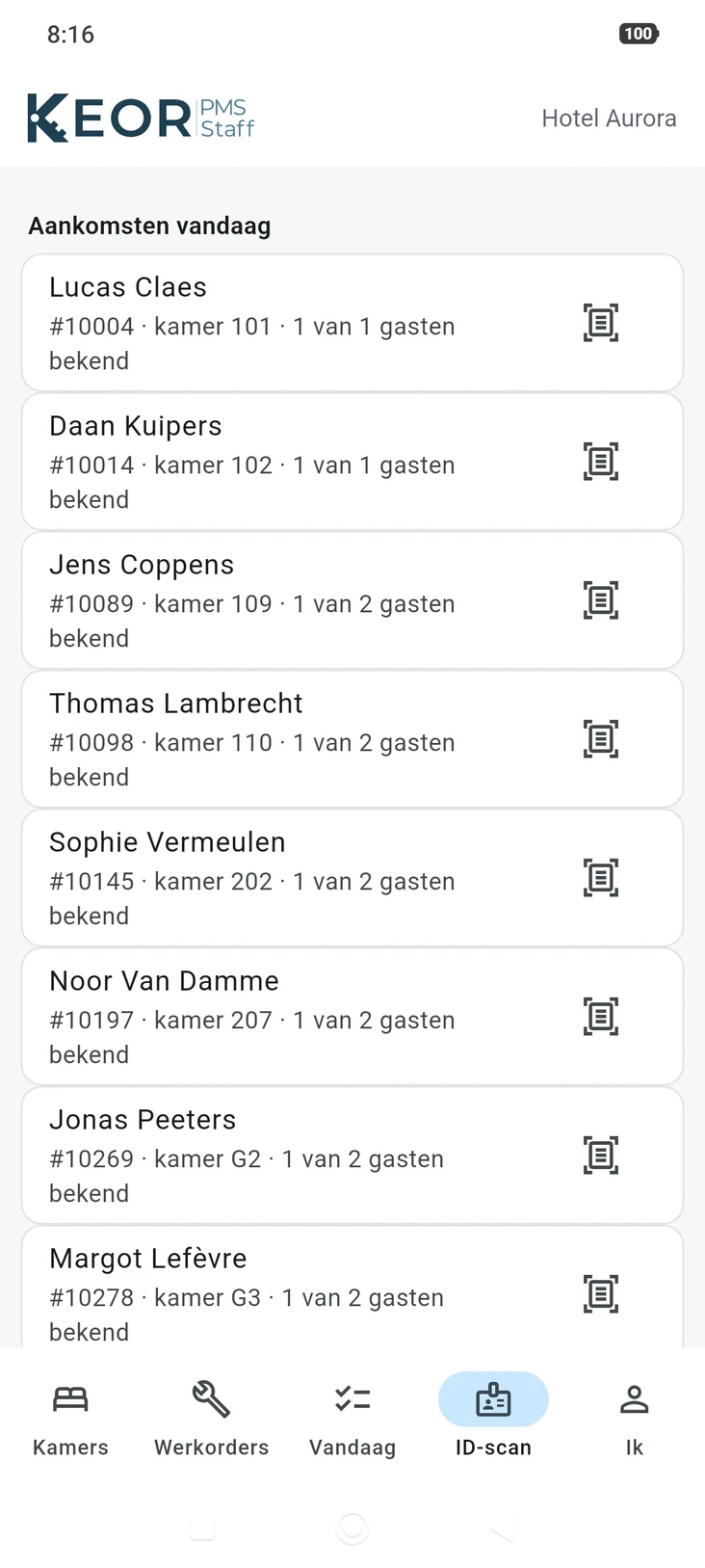
The phone reads passports and ID cards: the camera reads the code at the bottom of the document, then the phone reads the chip with the photo. Pick one of today’s arrivals and the guest is added to the room straight away.
When it is busy, a host in the lobby scans the documents of waiting guests ahead of time. A desk in KEOR can also use the phone as its passport scanner: scan, and the details appear at the desk.
- iPhone and Android, with NFC for the chip
- Details encrypted on the way and removed right after
- Next to or instead of the DESKO scanner at the desk
Why an app
Less walking, fewer phone calls
Push notifications
New tasks, requests and traces arrive instantly, event tasks too.
Always up to date
What the team does in the app shows up in the PMS straight away.
iOS and Android
On staff’s own phones or on hotel devices.
Same permissions
Every employee only sees what their role allows.
KEOR
Part of the KEOR family
Reservations, planning board, billing and reports for one hotel or many.
More about KEOR PMSSpace planner, event dossiers, quotes and groups with rooming lists.
More about KEOR Meetings & EventsOnline check-in, payment and requests, on the guest’s own phone.
More about KEOR GuestGuest screen at the desk for check-in, signature and payment.
More about KEOR DisplayPoint of sale for restaurant, bar and room service, connected to the PMS.
More about KEOR POS