Point of sale for hotels and hospitality
KEOR POS: the point of sale for hotels and hospitality
KEOR POS is the point of sale for restaurant, bar and room service. It runs on Windows, Android and iPad, keeps working without internet and posts room charges straight to the folio in KEOR PMS.
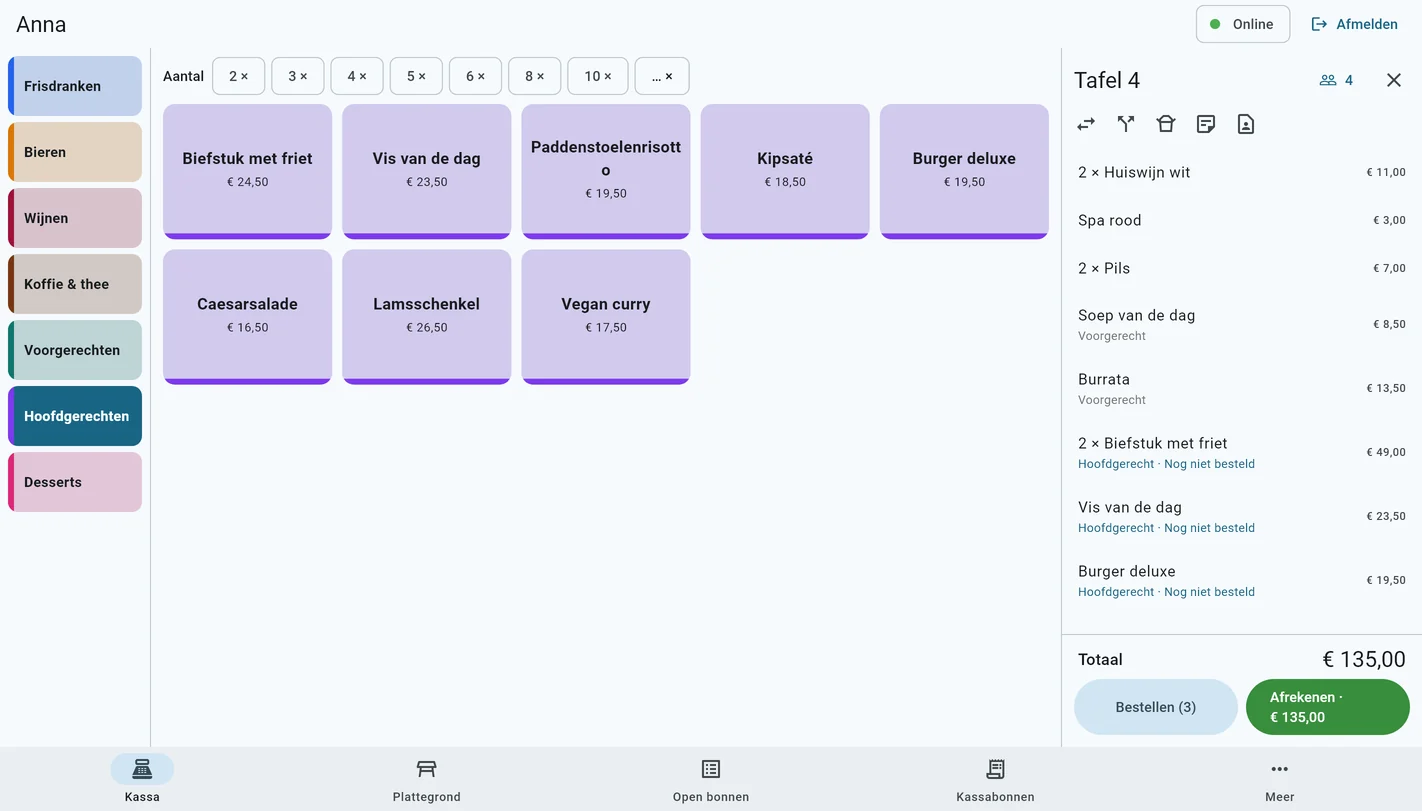
At the till
Quick to order, easy to settle
Everything your service staff need, on a fixed till or on a handheld at the table.
Ordering
Buttons in your own colours, set menus with choice groups, modifiers, kitchen notes, courses and barcodes. On a handheld, built for one hand.
Floor plan
Merge tables and move them from the till. Per table you choose what you see: amount, time, covers, course or note.
Table notes
Put the name, room number and package on the table in advance, and the tables are ready for dinner service.
Split the bill
Move lines, share a line in equal parts, or pay in parts: some in cash, some by card.
Payment
Cash, Viva terminal or Tap to Pay on the phone, meal vouchers, gift card or charge to the room. Change as a tip.
Several outlets
Restaurant, bar and room service, each with its own menu, prices, till layout, receipt texts and printers.
Price lists
Happy hour, different prices per outlet and price changes you plan ahead.
Gift cards and vouchers
Gift cards with a balance, and vouchers for an item, such as a dinner voucher for two menus, with a QR code.
Customers and on account
Regular guests and companies with their visits and notes such as allergies. Companies pay on account and get an invoice.
Take-away
Another VAT rate for what is taken away, per line or for the whole check, marked on the kitchen ticket too.
Offline
The till keeps working without internet and syncs as soon as the connection is back.
Dashboard
Revenue, receipts, covers and best sellers for any period, compared with a period you choose, also per weekday and per hour.
Digital receipt
By e-mail or through a QR code on the screen, exactly like the printed receipt.
Training mode
New staff practise everything without it counting in revenue or the cash drawer.
Four languages
Till and back office in Dutch, French, German and English, per staff member.
Table reservations
Shifts, a maximum per time slot and a day planner. Guests book online through your own website and get a confirmation and a reminder.
Invoices and Peppol
Turn a receipt into an invoice, with credit notes and sending over Peppol. Invoices and day statements go to Clearfacts.
Printer management
The status of every printer, a test print, and redirecting to another printer. Also the built-in printer of Sunmi devices.
Reports
Twelve reports with the previous period next to them: revenue, busy hours, VAT, product mix, discounts, cash and hours.
Secure
Roles and two-step verification for the back office. A PIN entered wrongly five times locks that staff member for a while.
Integration with KEOR PMS
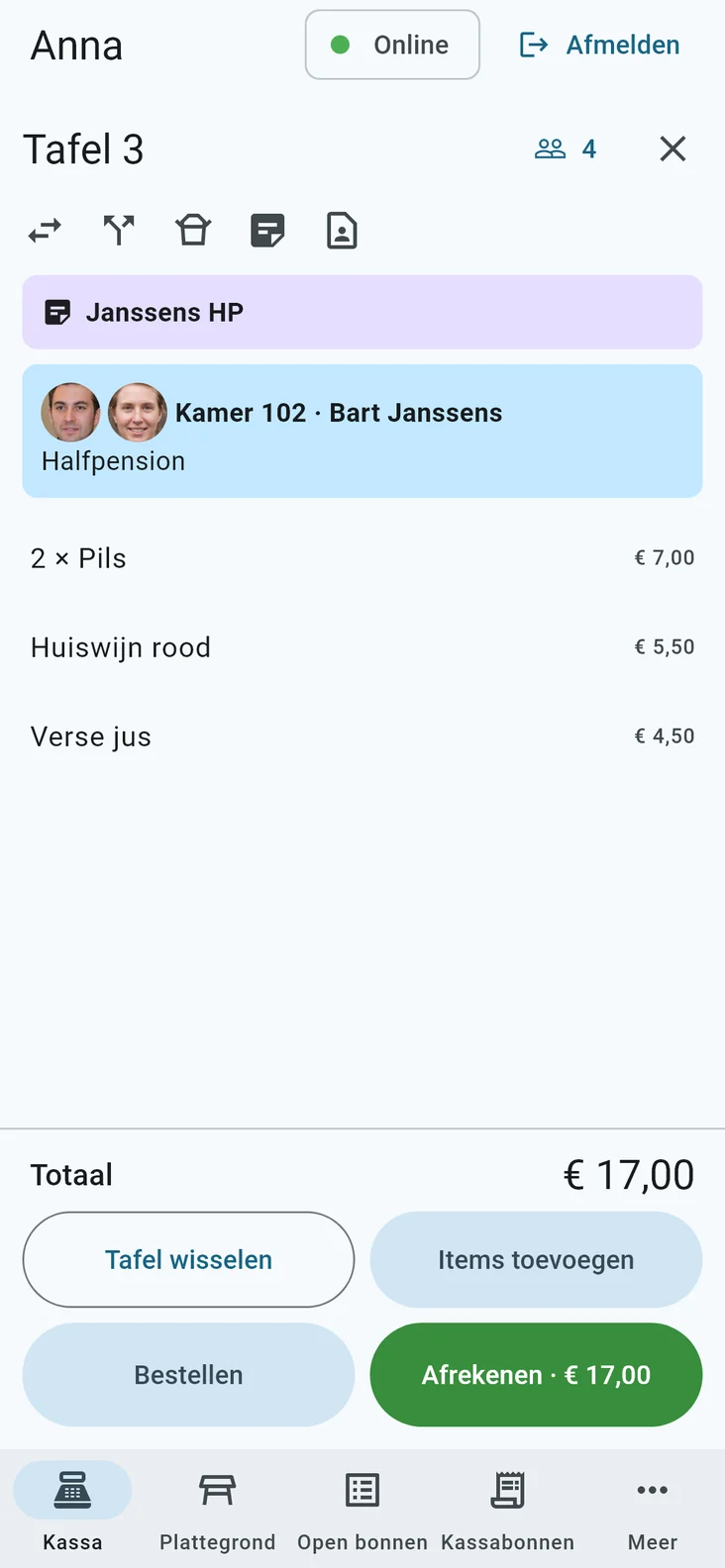
Charge it to the room, and see who signs
Link the check to a hotel guest: staff see the room, the name and what is left of the package. With the photos from the passports, they also see who belongs to the room, so nobody signs for the wrong room.
The guest signs on the screen and the charge appears on the folio straight away, with tip and revenue group. Allowances from packages are settled automatically.
- Photos of every guest in the room, when the hotel switches it on
- Photos are only shown, never stored on the till
- Limits, blocked rooms and corrections on the folio too
- Book a table from the hotel reservation, with allergies
Floor plan
A group? Push the tables together
Move tables to a new place right from the till, for example when you push them together for a group. Every till sees the new layout at once. “Original layout” puts everything back as set up in the back office.
Reservations are on the floor plan too: a free table shows the time, the number of persons and the name, and one tap seats the guests. When an occupied table has a reservation coming up, its time shows in orange.
- Free and occupied tables with amount, time seated and reservation
- Move and merge tables
- With the permission to move tables, or a manager’s approval
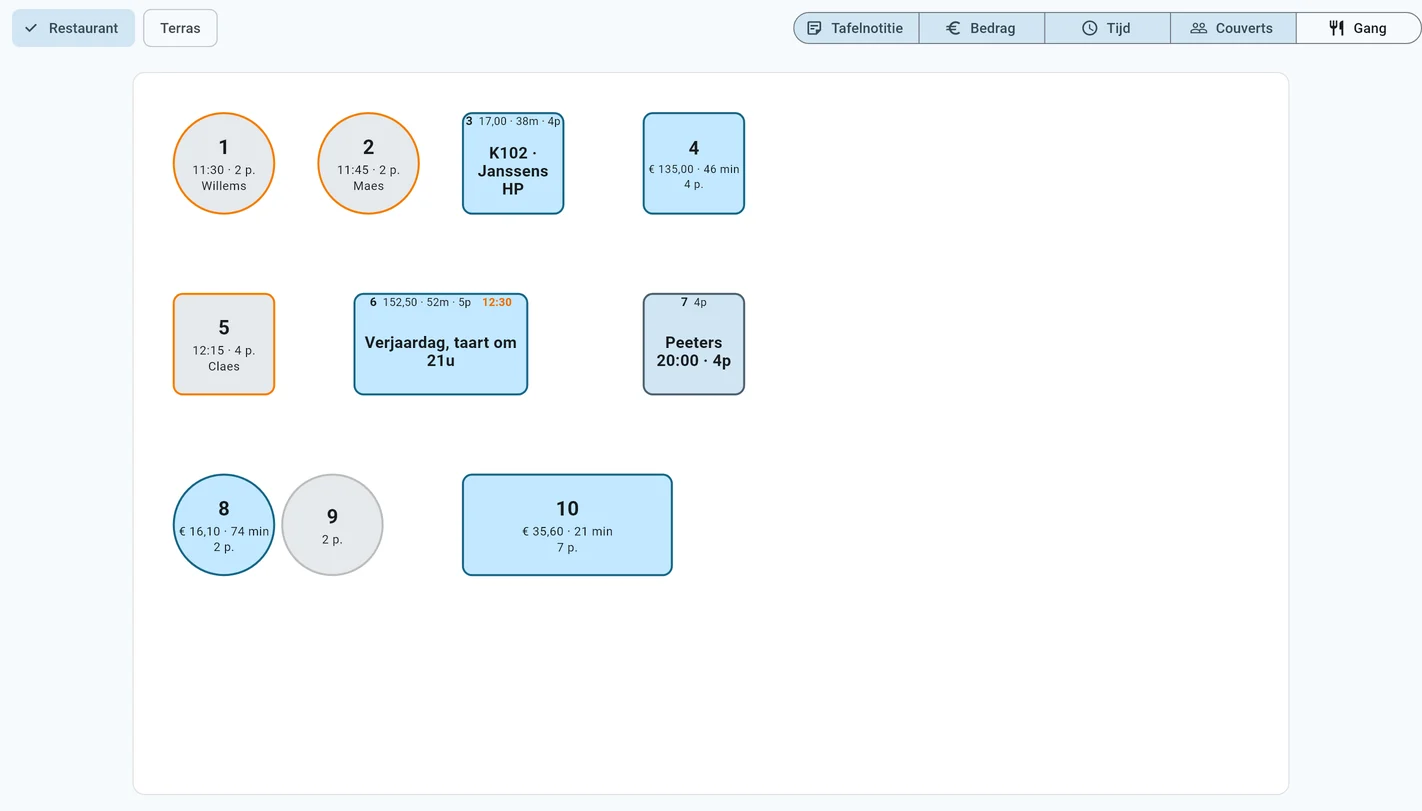
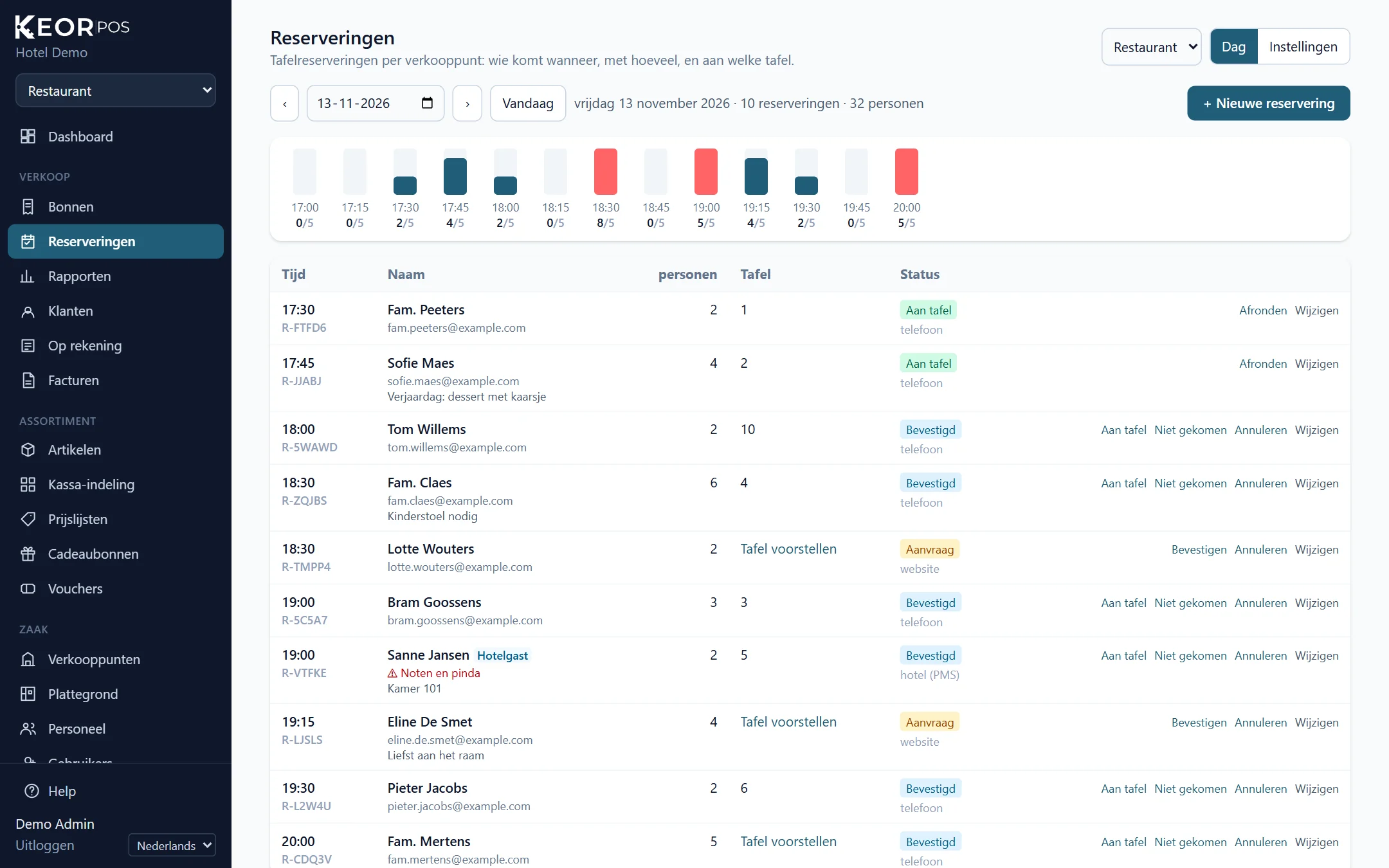
Table reservations
Every evening prepared
Set shifts per outlet, such as lunch and dinner, with a maximum number of persons per time slot and closing days. The day planner shows per time slot who is coming, with how many persons and at which table. KEOR suggests a table, and you can take a phone reservation even while the till is offline.
A hotel guest who books from KEOR PMS shows with their room and allergies. Guests get a confirmation with a calendar invitation and a reminder.
- Confirm requests from the website with one click
- Seated, no-show or cancelled
- Notes such as a birthday or a high chair
Online booking
Guests book a table themselves
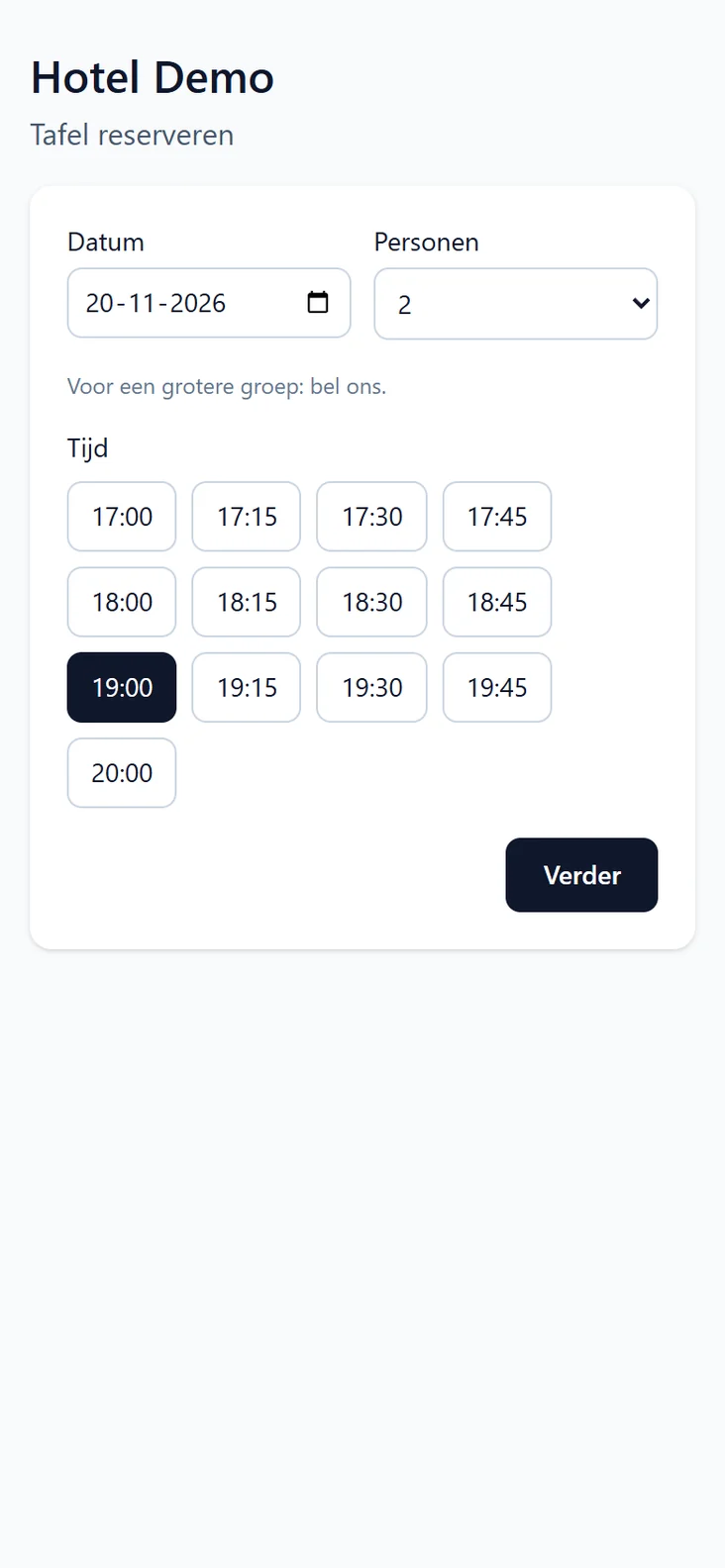
Every venue gets its own booking page, and a “Book a table” button for its own website. Guests choose a date, the number of persons and a time, and only see what is really free. They change or cancel their reservation themselves through the link in the confirmation.
Does your website have its own form? Connect it with the booking API and webhooks.
- Only time slots that still have room
- Larger groups call you
- On the phone too
Price lists
Happy hour without the manual work
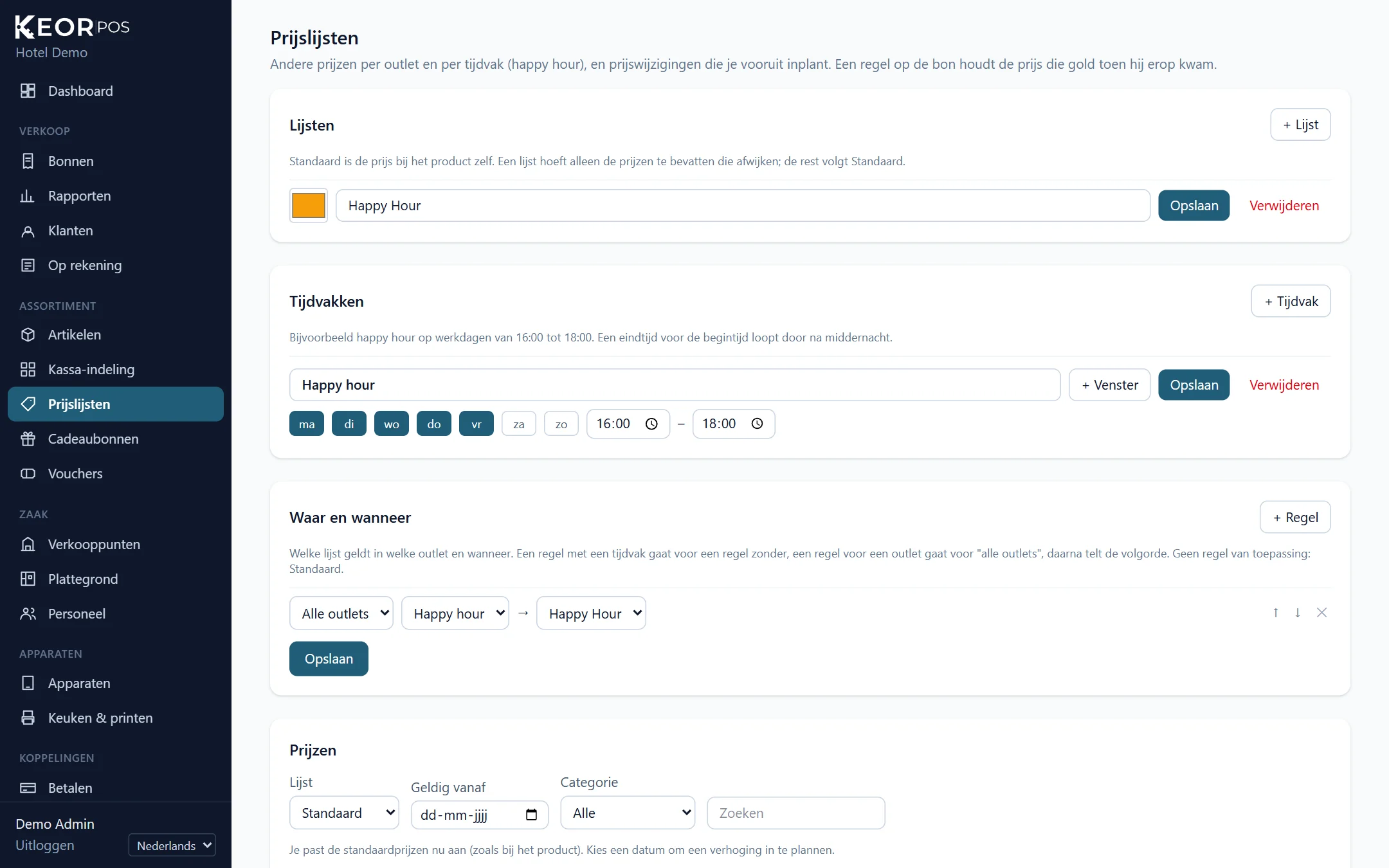
Make lists such as “Happy hour” or “Terrace” with only the prices that differ. Time periods and rules decide which list applies where and when; the till switches by itself and shows it on screen. A drink that went on the check just before happy hour ended keeps its price.
Plan new prices ahead, per item or as a price round of, say, 5%, with a preview first.
- Different prices per outlet
- For menus, surcharges and options too
- Planned price changes, also on a till that is offline
Gift cards
One gift card for hotel and restaurant
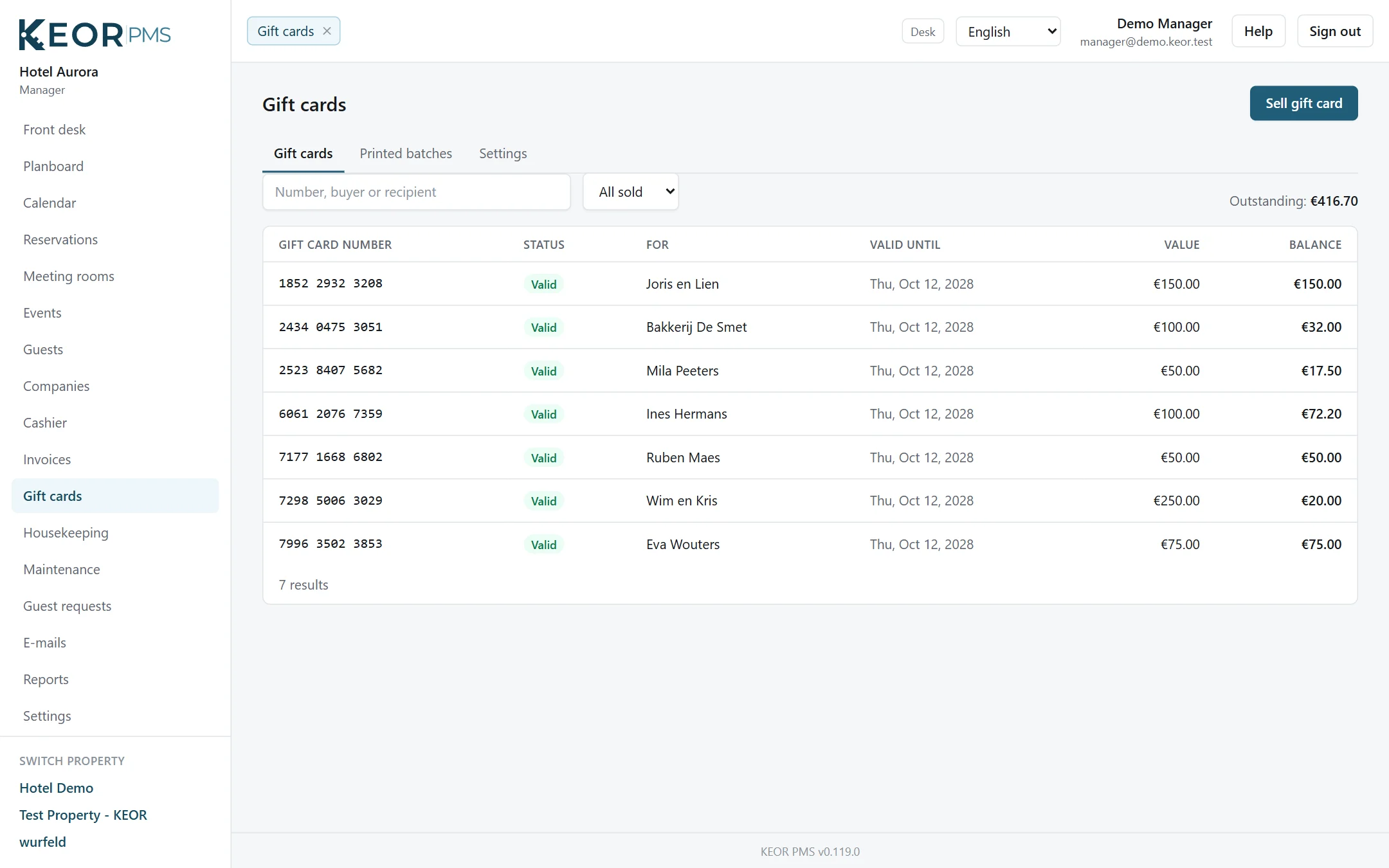
Sell gift cards at the till and let guests pay with them, also in part. With gift cards through KEOR PMS, the same card can be spent at the front desk too, and the other way round. The balance is kept in one place.
- Card with number, QR code, value and validity
- No VAT when sold, VAT when spent
- Numbers for preprinted cards in batches
Back office
Every outlet its own menu
Manage menus, prices, floor plans, printers, staff and tills in the browser. Every outlet, such as restaurant, bar and room service, has its own range, prices and till layout: drinks first in the bar, and the lobby bar’s drinks to its own printer.
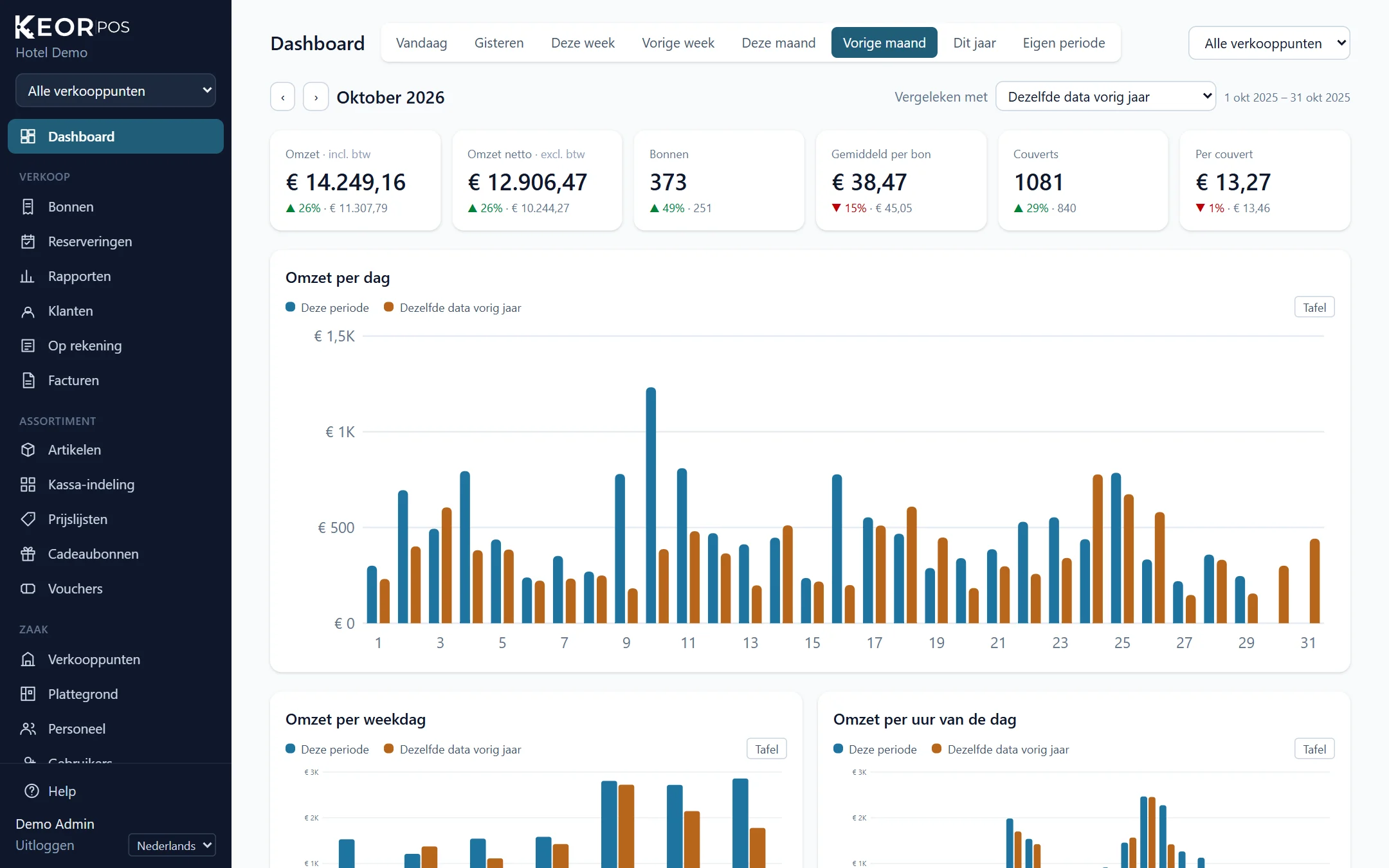
The dashboard shows revenue, receipts, the average per receipt and covers for any period, compared with a period you choose. Twelve reports, such as busy hours, VAT and revenue per staff member, put the previous period next to them and go to CSV or the printer.
- Revenue and management reports per outlet, cash count before the day closing
- Staff per outlet, elsewhere with a manager’s approval
- Roles and two-step verification for the back office, and an audit log of every change
Kitchen display
The order goes to the kitchen by itself
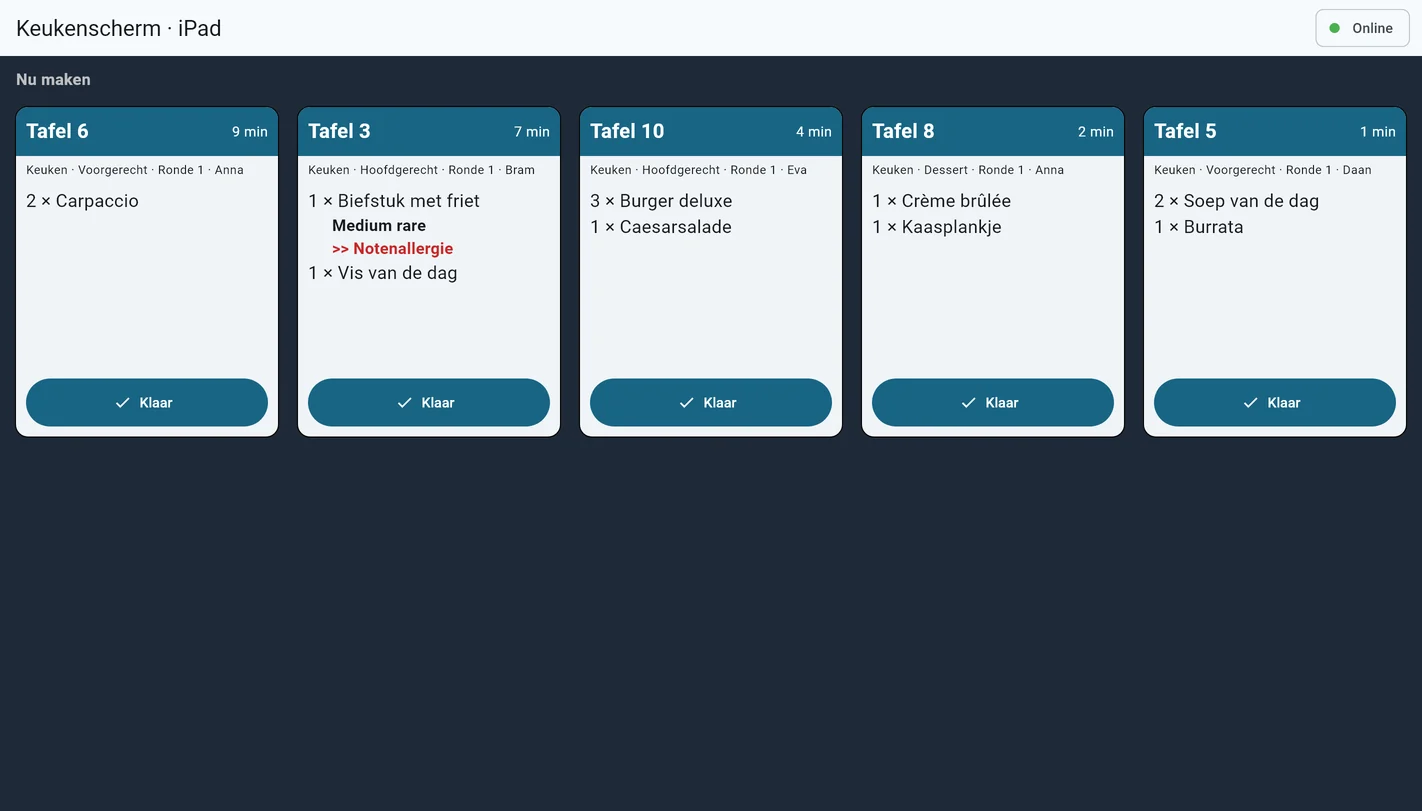
Orders go to the kitchen or the bar per preparation area: to a network printer or to a kitchen display. The kitchen sees per table what to make now and what waits until the server calls it, with notes such as “no salt” in red.
- Courses waiting to be called
- Notes and extras clearly visible
- A Windows PC or tablet as kitchen display
Registered cash register system
Ready for the Belgian GKS 2.0
KEOR POS is built to the rules of the Belgian registered cash register system (FDM 2.0 / GKS 2.0). Version 1.0.0 has been submitted for certification to the FPS Finance.
- Signed sales and VAT ticket with QR code
- Cash payments rounded to 5 cents
- Staff clocking in and out
- Copies, refunds and corrections by the rules
- Take-away, meal vouchers and tips by the rules
- Tickets in Dutch, French, German or English
- FDM reports in the back office, and a backup FDM if the first one fails
KEOR
Works with the rest of KEOR
Reservations, planning board, billing and reports for one hotel or many.
More about KEOR PMSSpace planner, event dossiers, quotes and groups with rooming lists.
More about KEOR Meetings & EventsHousekeeping, maintenance and ID scan on iOS and Android, with push notifications.
More about KEOR PMS StaffOnline check-in, payment and requests, on the guest’s own phone.
More about KEOR GuestGuest screen at the desk for check-in, signature and payment.
More about KEOR Display