App for guests · iPhone, Android and web
KEOR Guest: the app for your guests
With KEOR Guest the stay is in the guest’s pocket: online check-in with the passport chip, paying the bill, asking the hotel for something and getting messages. No account or password, and in the guest’s own language.

What guests can do
Less waiting at the desk
The hotel chooses what is switched on. Guests open the app with the link in their confirmation e-mail or the QR code at the desk.
Online check-in
The details of everyone in the room, the arrival time and a signature under the house rules, before arrival.
Passport chip
The phone reads the chip of the passport or ID card. KEOR checks that the issuing country signed the data.
Self check-in
On the day of arrival, when everything is in order, the guest sees the room number straight away, without the desk.
Payment
The stay or a guarantee for extras, safely with Viva. Or guests pay at the desk, if you prefer.
Notifications
Room ready, online check-in open, a request taken up or done, the morning of departure, and your own messages.
Requests
Extra towels or a taxi: the request reaches the right department and the KEOR PMS Staff app.
Hotel information
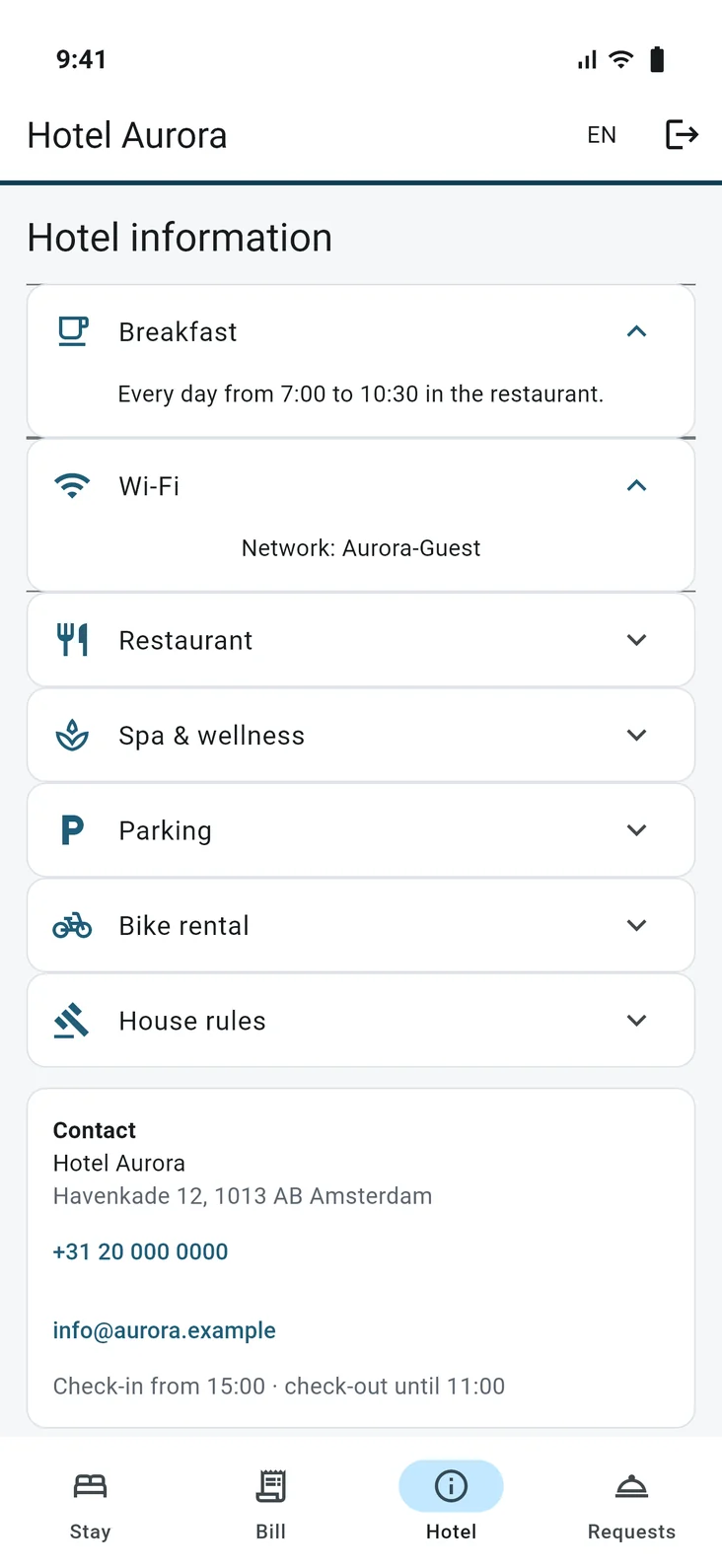
Breakfast, wifi, parking, facilities and the area, on pages the hotel writes itself.
Five languages
English, Dutch, French, German and Spanish.
Online check-in
Checked in before the guest arrives
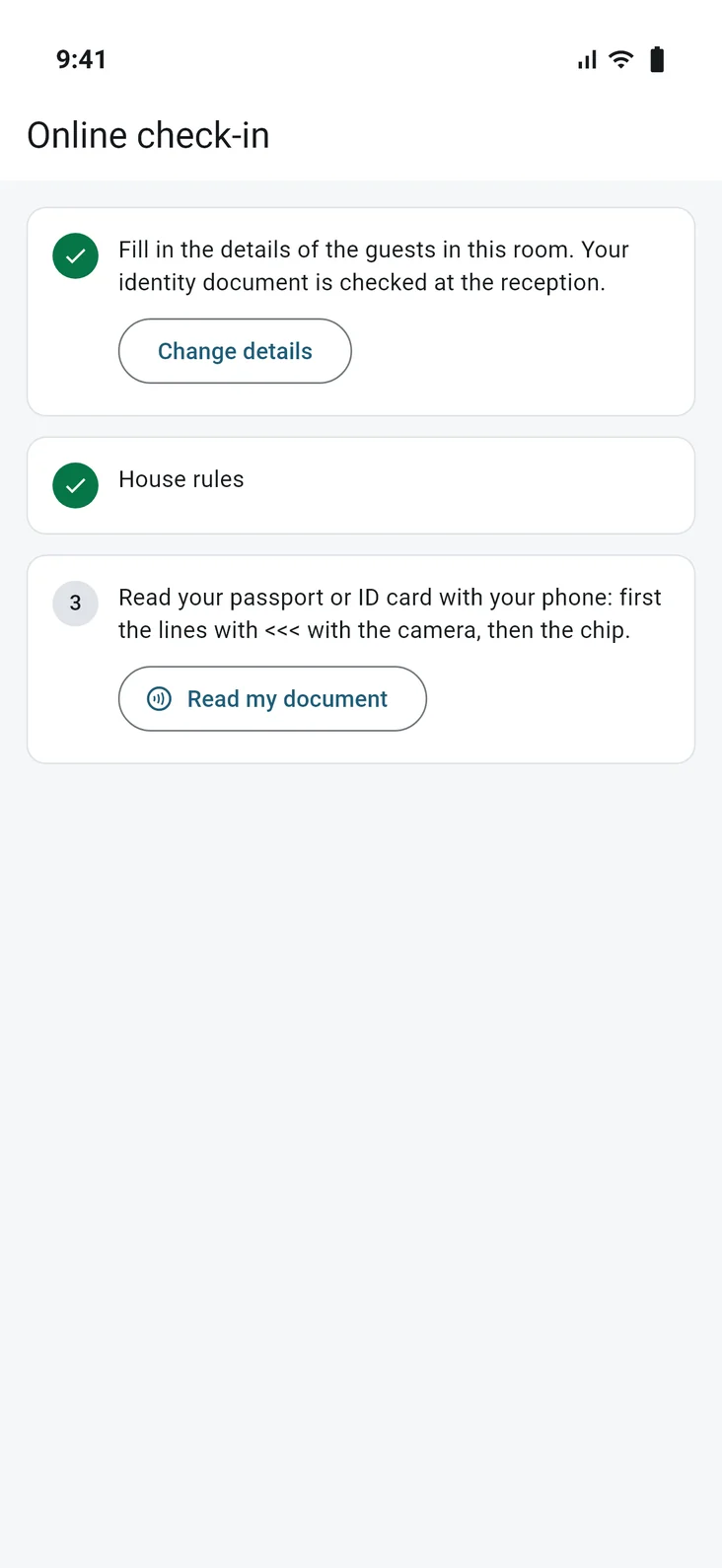
From the number of days before arrival that you choose, guests fill in the details of everyone in the room, their arrival time and a signature under the house rules. The phone reads the passport itself: the camera reads the code at the bottom, then the chip with the photo.
At the desk, check-in then starts with everything filled in. The arrivals list shows who checked in online and whose document still has to be checked.
- Chip data checked against the country’s signature
- Name and date of birth locked once the chip is read
- Choose per nationality who is still checked at the desk
Self check-in
Straight to the room
On the day of arrival, a guest who checked in online checks in on their own as soon as everything is in place: check-in time has passed, a clean room is assigned, nothing is left to pay and the document is checked. The app then shows the room number and your own text, for example where to collect the key.
If something is still missing, the app says what. The guest knows where they stand, and so does reception.
- On or off per hotel
- Only with a checked identity document
- The key at the desk or the way you choose

The bill
Always a clear view of the bill
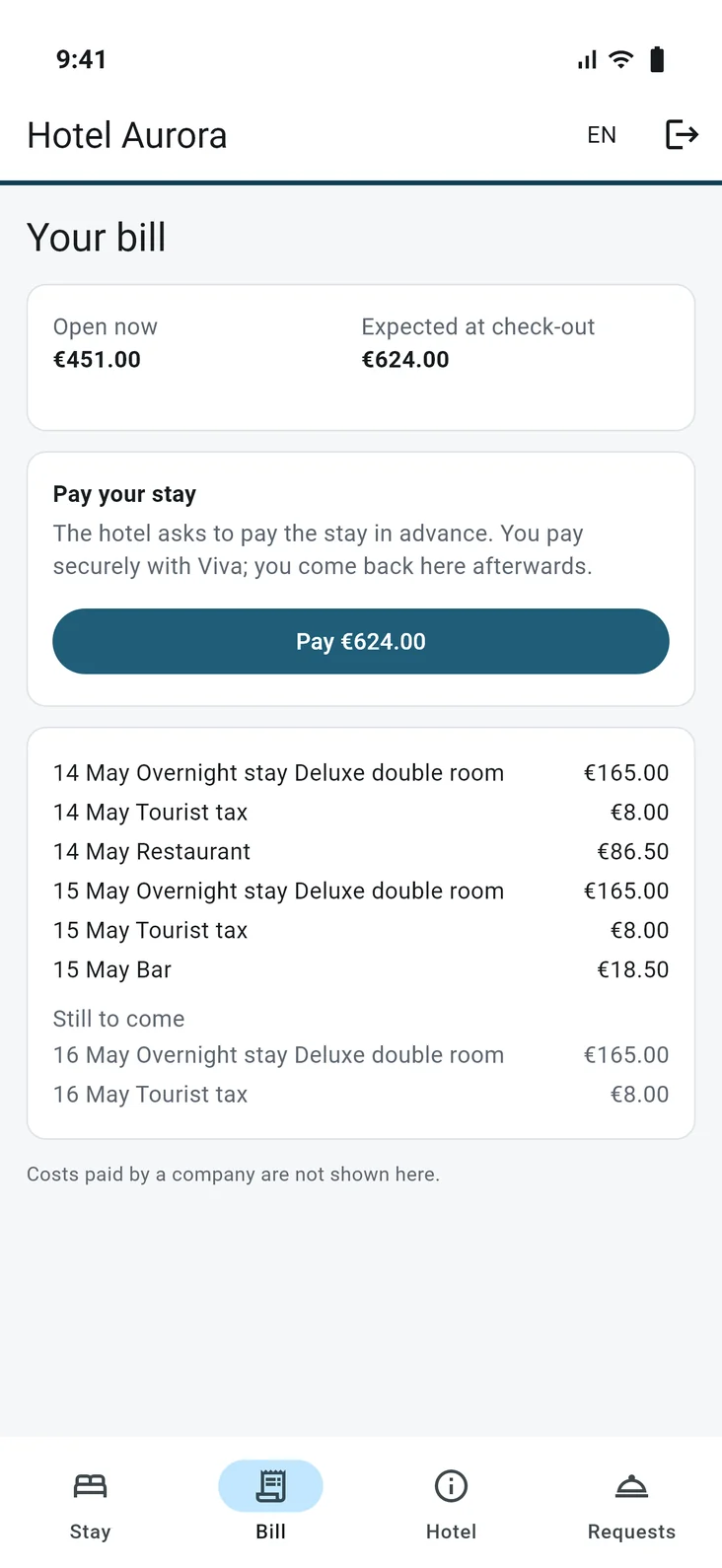
Guests see their own bill: what has been posted and what is still to come. What a company or booking site pays stays out of sight. Payment runs on Viva’s secure payment page: the stay, a guarantee for extras, or both at once.
Rather take card payments at the desk, where they often cost less? Switch paying in the app off; guests still see what is open.
- Only what the guest pays themselves
- Card details go to Viva, not to the app
- Already prepaid? Then only the rest, such as tourist tax
Requests and messages
A short line to reception
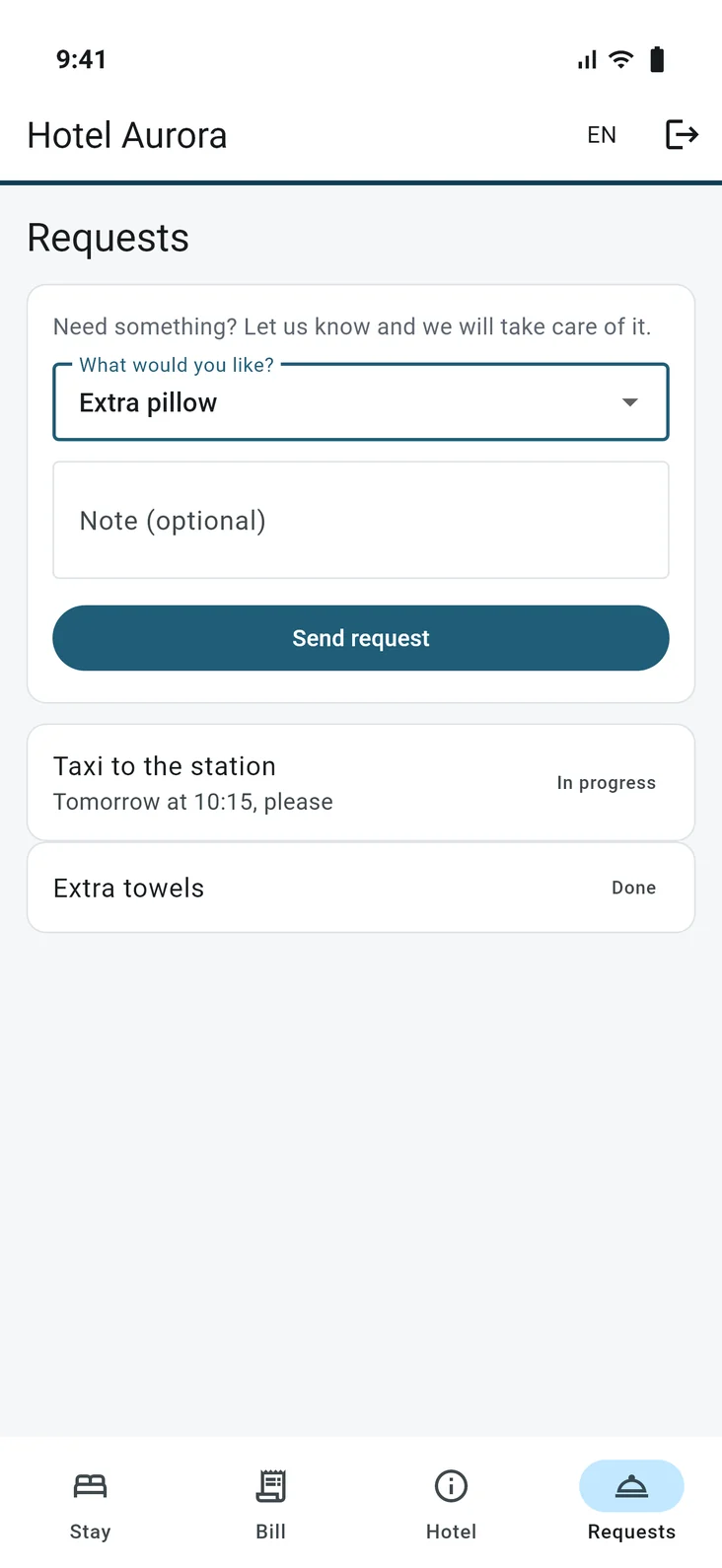
During the stay guests ask for an extra pillow or a taxi in the app and see when it is taken up. The request reaches the right department, in the KEOR PMS Staff app too.
From the reservation, reception sends the guest a message that shows up as a notification on the phone. You choose which automatic notifications go out; nothing is sent at night.
- Requests on or off per hotel
- Your own messages from the reservation
- For every message you see how many phones it reached
For the hotel
Your hotel, not our app
Guests see your hotel’s name and your own information pages. They sign in with the link in the confirmation e-mail, which opens the app directly, or with the QR code at the desk or in the room. Without the app, everything also works in the browser at your hotel’s address.
- No account and no password for the guest
- A button to the app in your own e-mails
- Everything set under Settings, Guest app
KEOR
Part of the KEOR family
Reservations, planning board, billing and reports for one hotel or many.
More about KEOR PMSSpace planner, event dossiers, quotes and groups with rooming lists.
More about KEOR Meetings & EventsHousekeeping, maintenance and ID scan on iOS and Android, with push notifications.
More about KEOR PMS StaffGuest screen at the desk for check-in, signature and payment.
More about KEOR DisplayPoint of sale for restaurant, bar and room service, connected to the PMS.
More about KEOR POS